Echoplasm

A spectral delay by Lemmy Adam

Paint your echoes.

Buy · Coming November 2026Download 14-day free trial

$29 · VST3 · AU · CLAP · Standalone (AAX (Pro Tools) later) · macOS & Windows

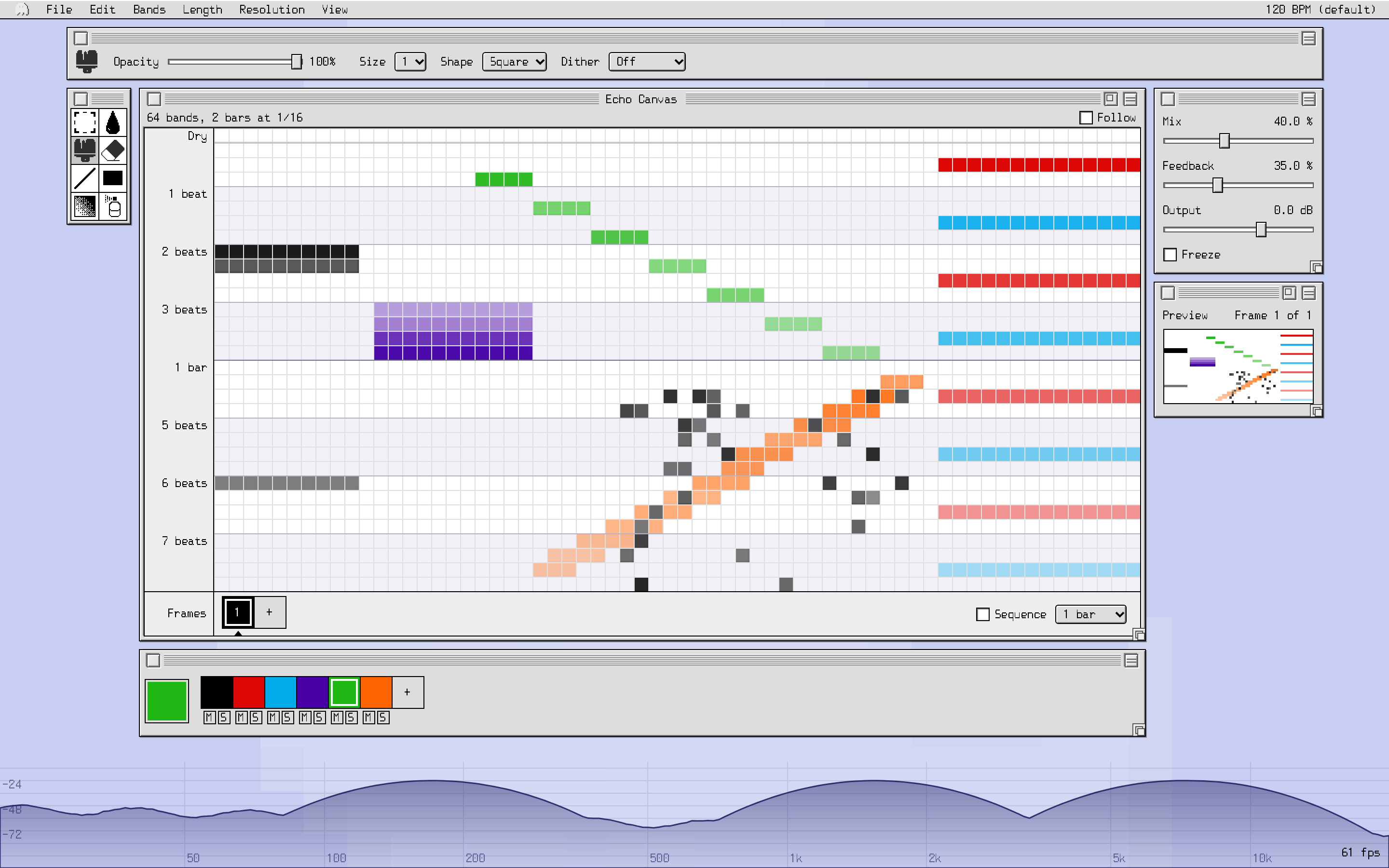
A spectral delay you paint on a grid. Columns are frequency bands, rows are repeats on your song’s tempo grid, and brightness is how loud each repeat is.

So the hats can echo on the off-beats while the low end repeats once on beat 3, and the mids stutter, sweep or play backwards.

Painting a pattern in Echoplasm. (A silent clip: the sound is in the demos below.)

How It Works

Every cell is an echo.

  • Across: frequency. Each column is a slice of the spectrum, lows on the left, highs on the right.
  • Down: time. Each row is one step on your song’s tempo grid. The top row is now; the next is one step later, and so on.
  • Brightness: level. A painted cell repeats that slice of the sound at that moment, that loud. Empty cells are silent.

Most spectral delays turn into a pretty wash. Echoplasm’s repeats are locked to the beat, so it plays like a rhythm part: it can drive a groove, not just make pads.

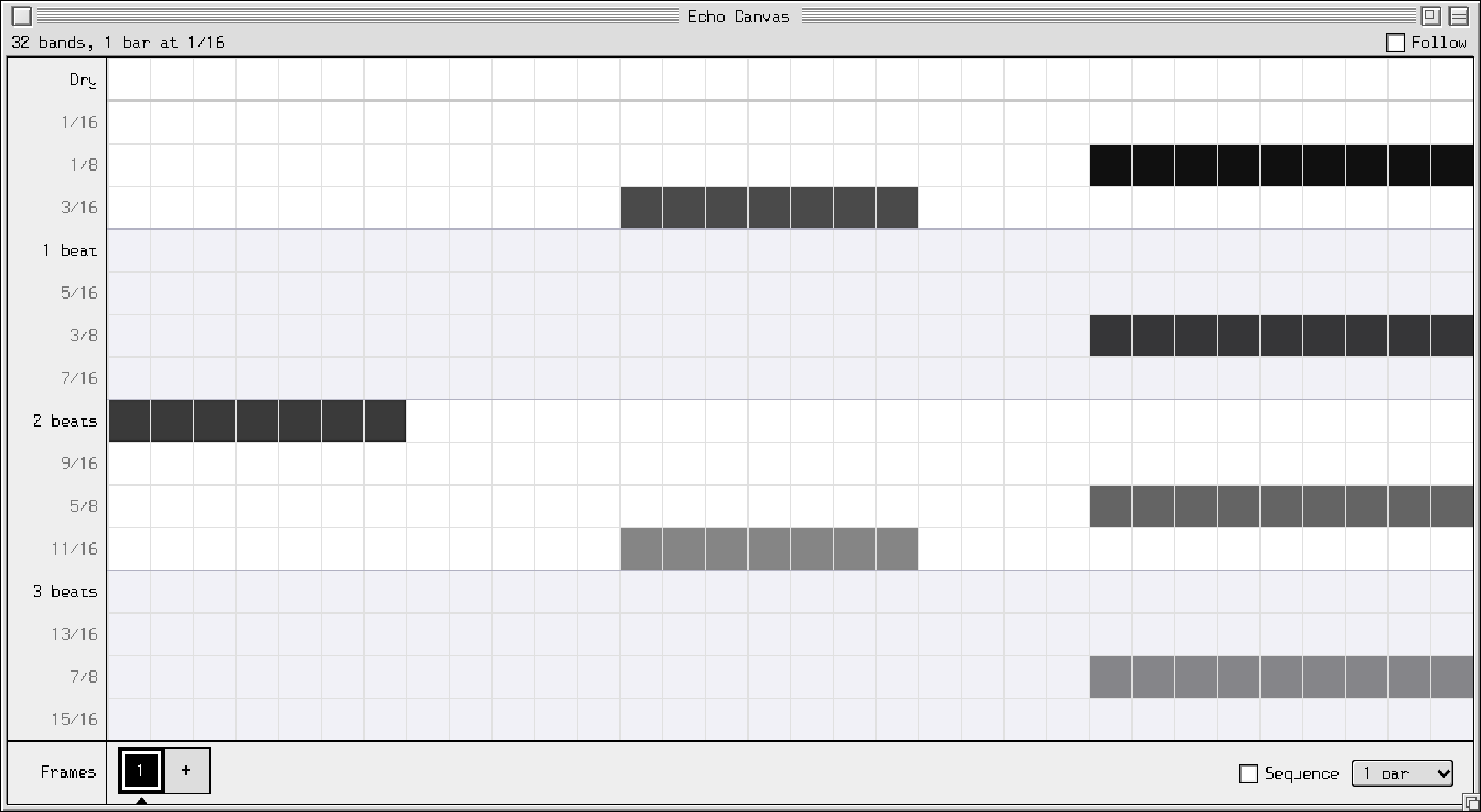
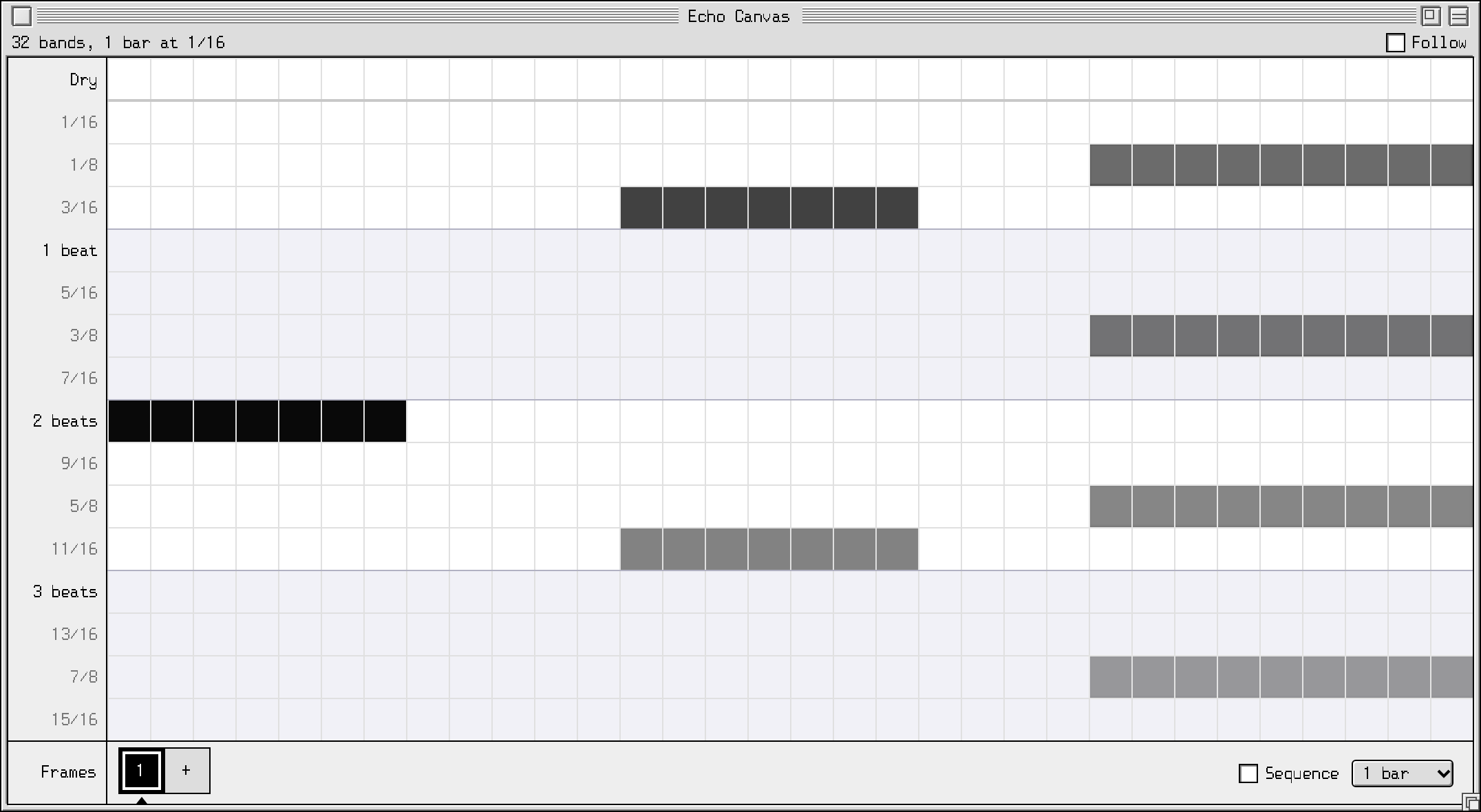
An Echo Canvas: 32 bands across, one bar of sixteenth notes down. Bass on beat 3, hats on the off-beats.frequency →time ↓low end, once, on beat 3hats on the off-beats, fading

Listen

Each demo shows the canvas that made it. Play the dry track, then the same track through Echoplasm. Each one is rendered straight from the plugin, then matched in loudness to the dry track so neither sounds better just by being louder.

Off-beats

The Echo Canvas painting used for “Off-beats”

Classical guitar, 70 BPM · 1 bar at 1/16

The example above: the highs echo on the off-beats, the lows once on beat 3.

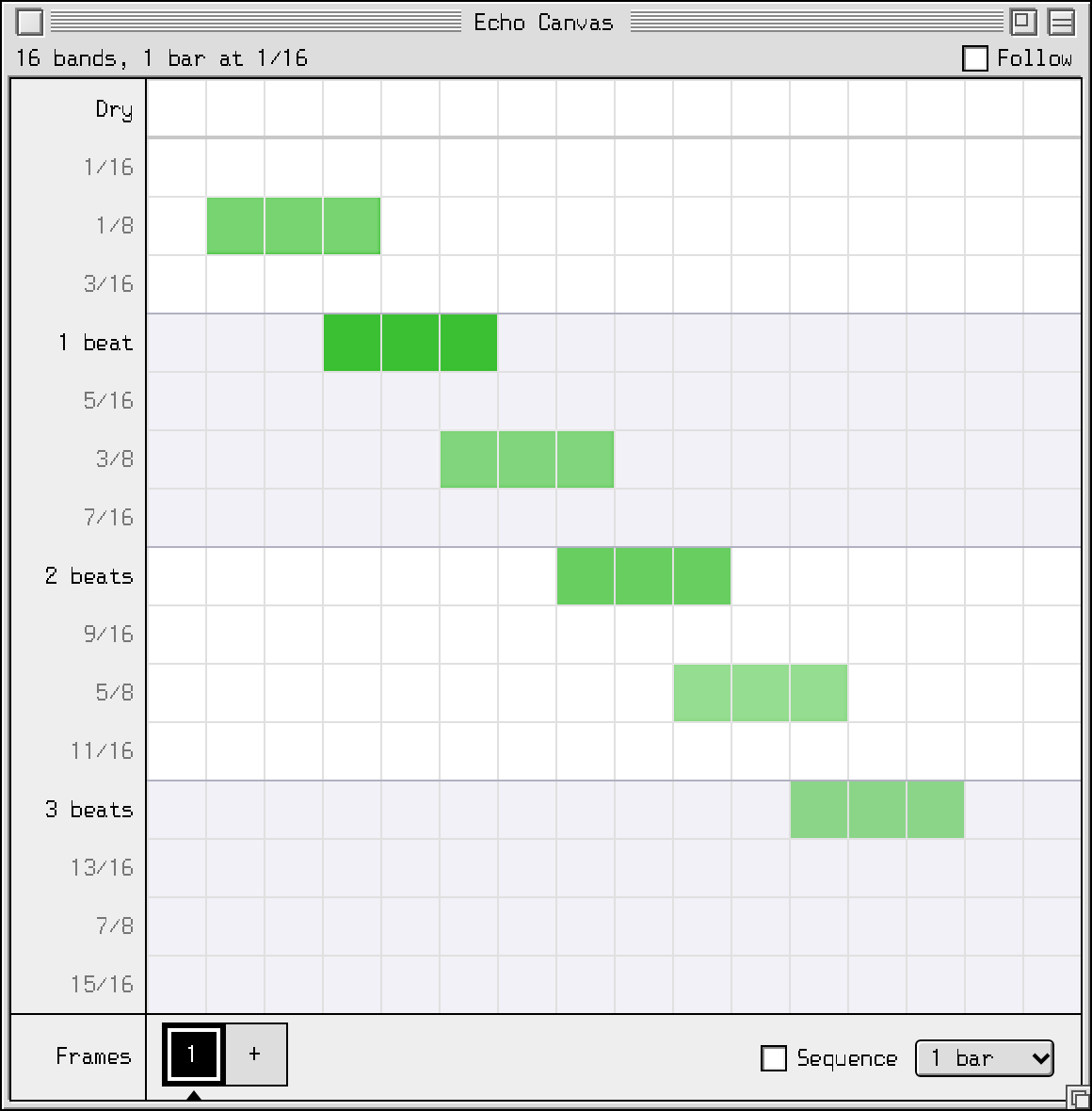
Ping-pong

The Echo Canvas painting used for “Ping-pong”

Classical guitar, 70 BPM · 1 bar at 1/16

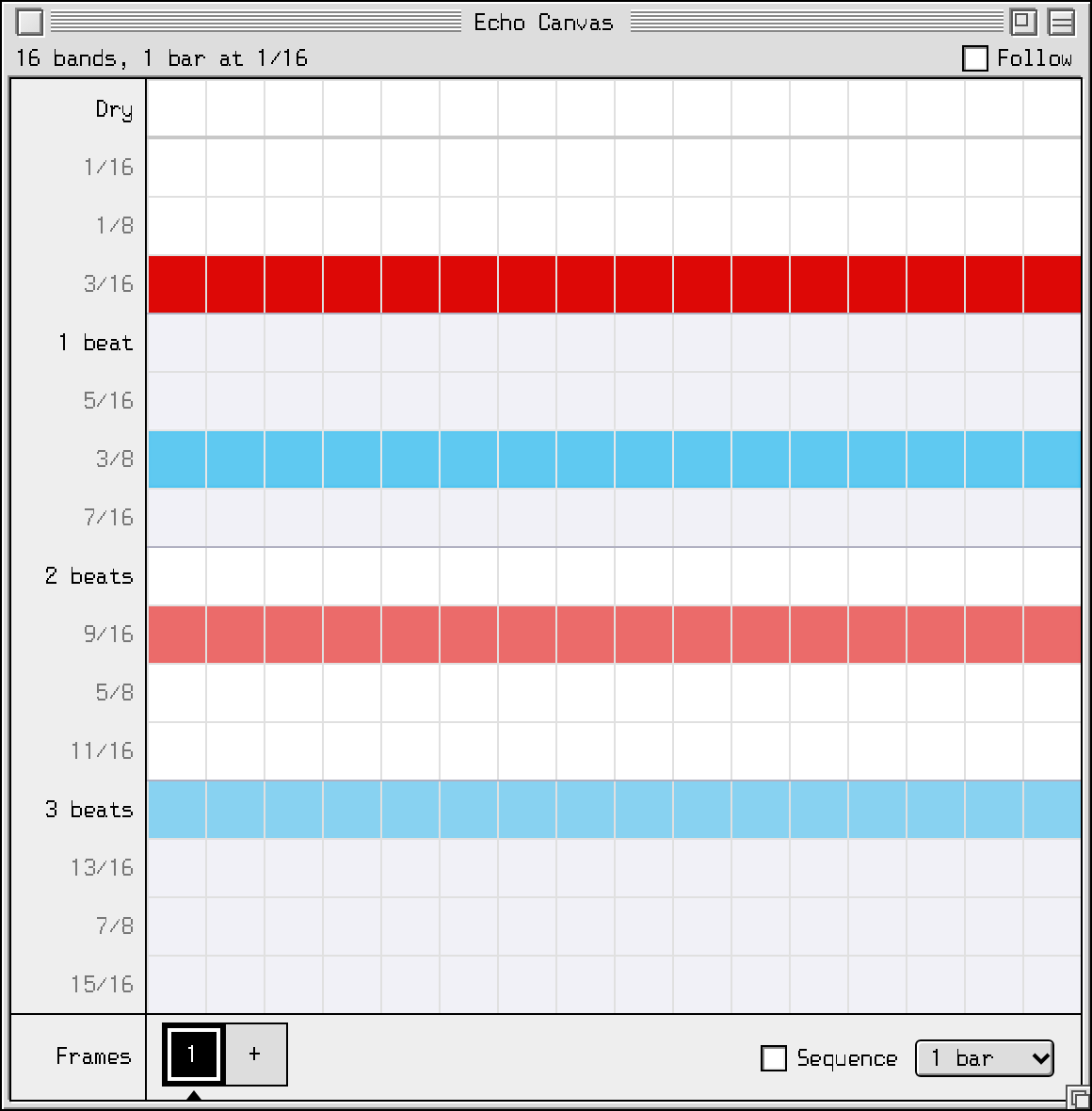
Two colours, one panned hard left and one hard right, alternate down the canvas.
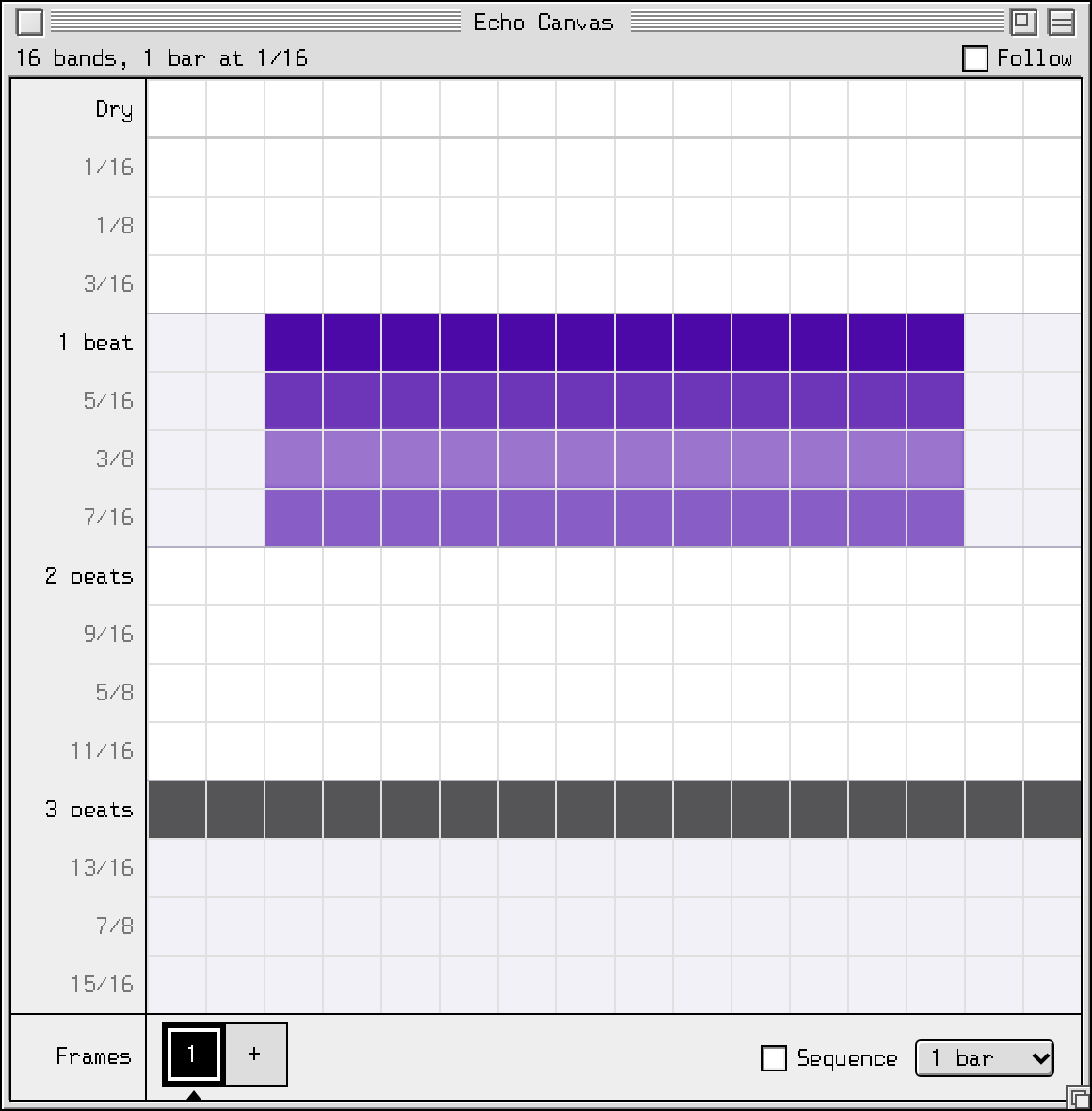
Shimmer stairs

The Echo Canvas painting used for “Shimmer stairs”

Classical guitar, 70 BPM · 1 bar at 1/16

A shimmer colour, an octave up, climbing the spectrum with every repeat.
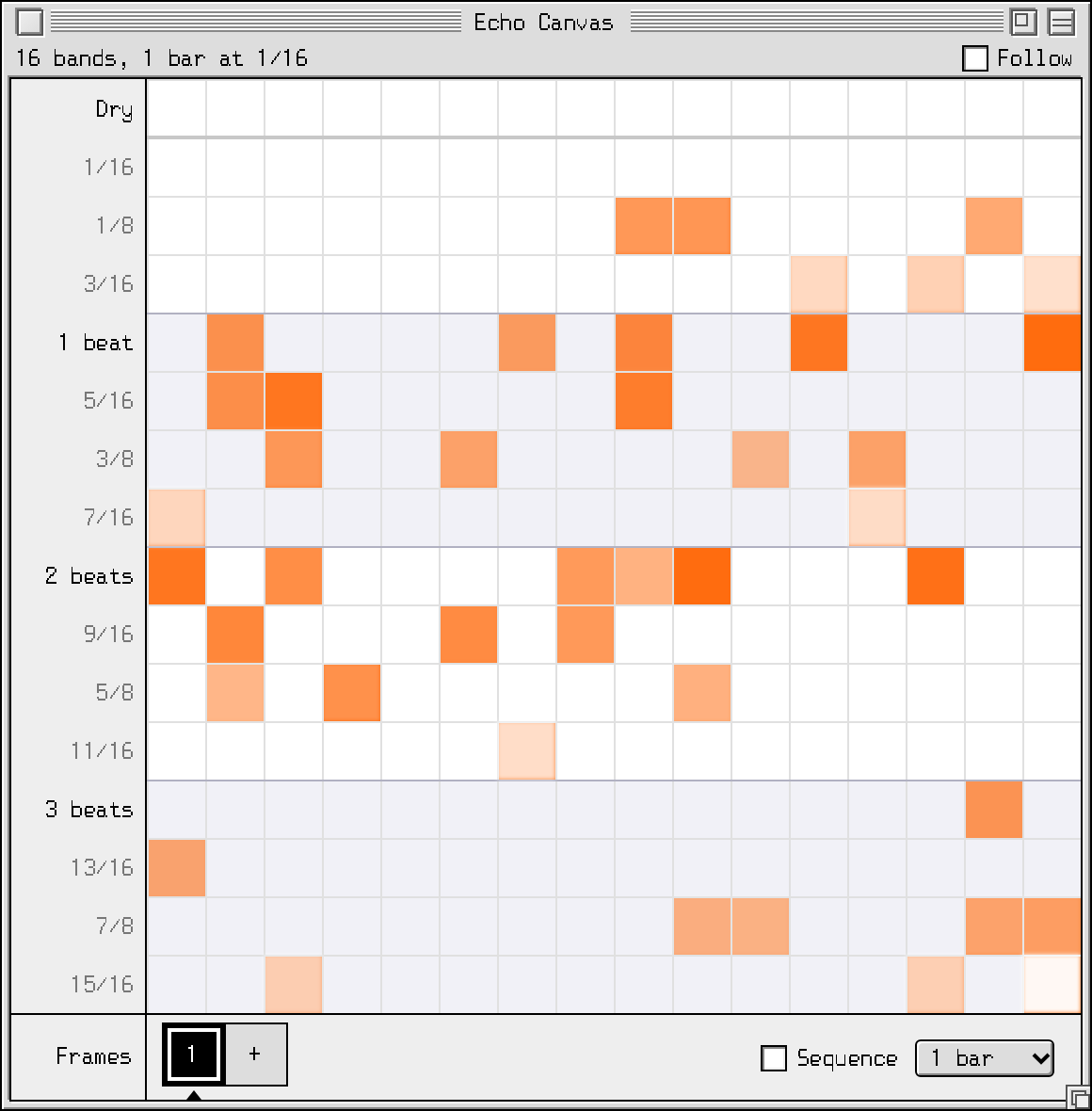
Reverse swells

The Echo Canvas painting used for “Reverse swells”

Classical guitar, 70 BPM · 1 bar at 1/16

A reverse colour plays each repeat backwards, in quarter-note chunks.
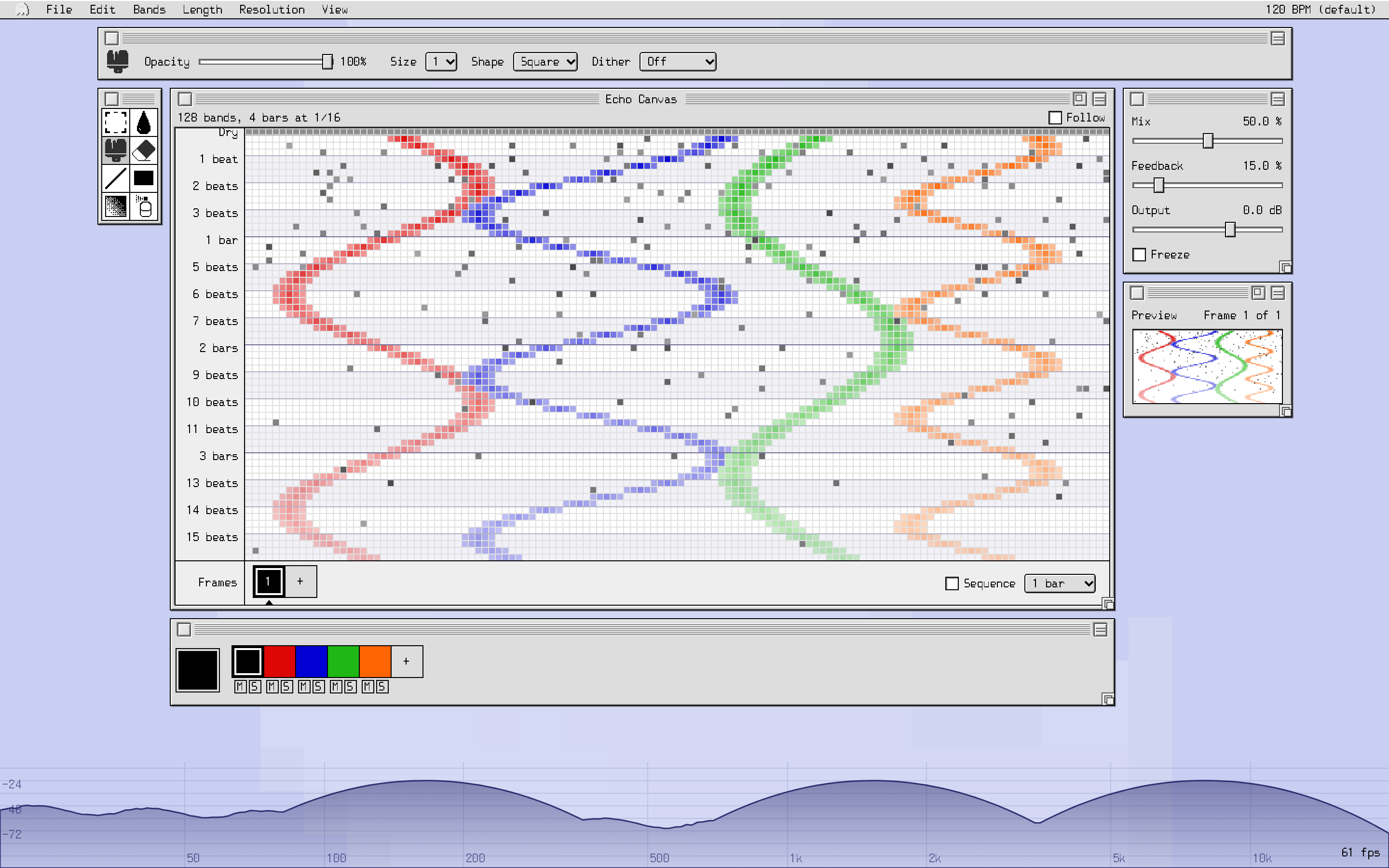
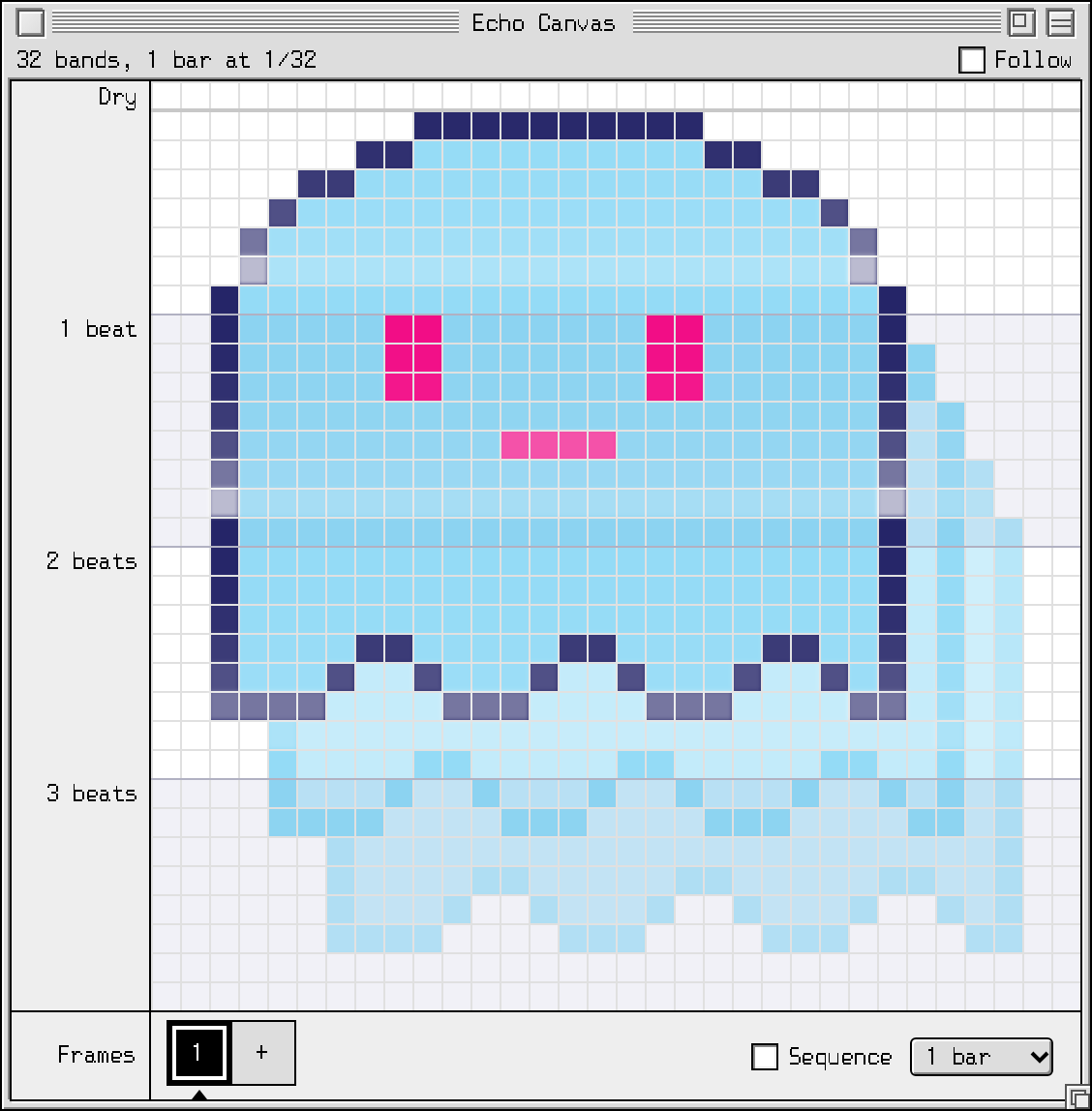
Scattered grains

The Echo Canvas painting used for “Scattered grains”

Classical guitar, 70 BPM · 1 bar at 1/16

Sprayed cells with a granular colour: glitchy, random taps.
Ghost

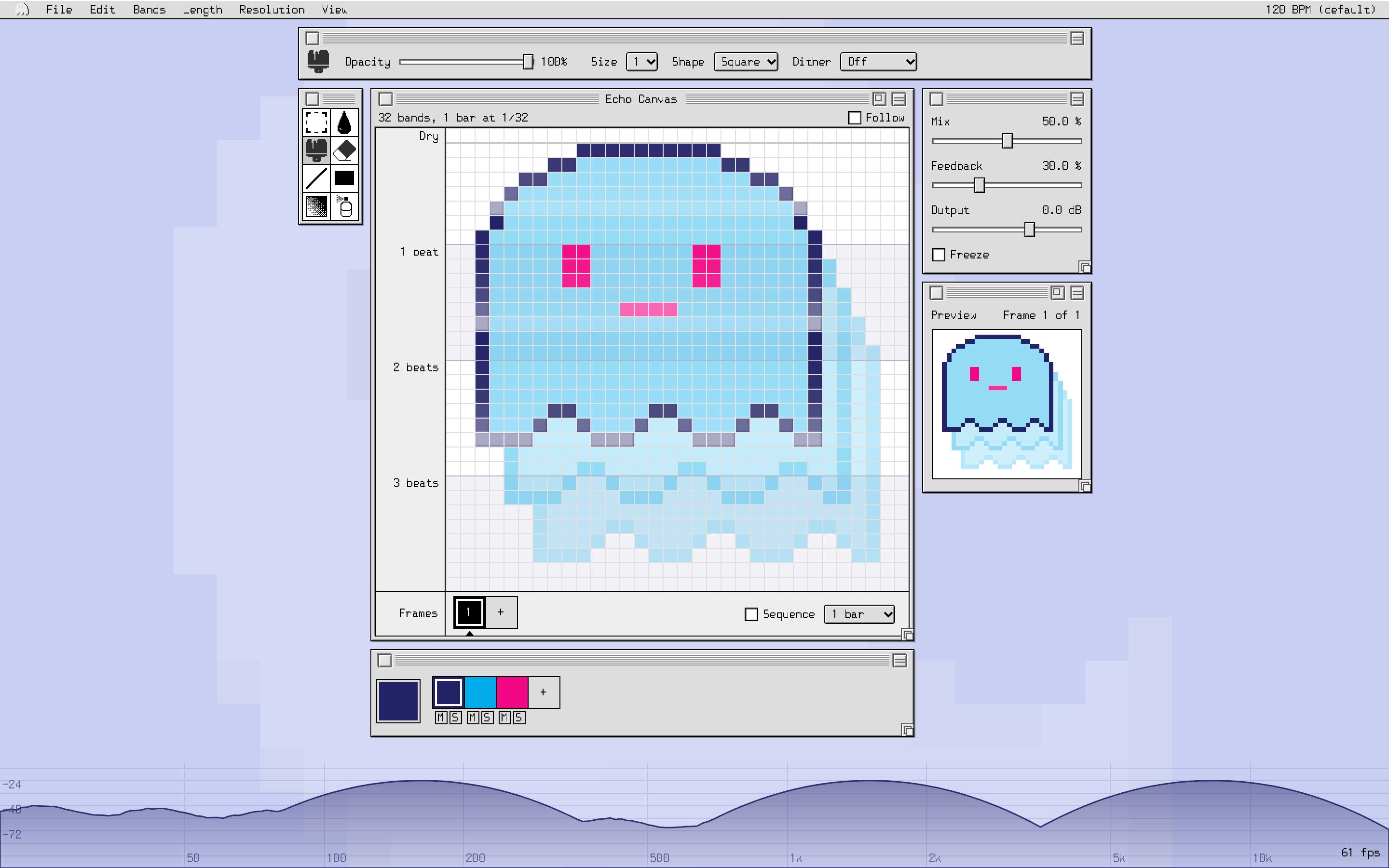
The Echo Canvas painting used for “Ghost”

Classical guitar, 70 BPM · 1 bar at 1/32

An imported picture, played as echoes. What does a ghost sound like?
Echo Canvas

  • Repeats land exactly on your song’s tempo grid, to the sample: no flams against the drums
  • 8 to 128 frequency bands, from 20 Hz to 20 kHz
  • Patterns from 1 beat to 4 bars, in steps from 1/4 down to 1/128, triplets included
  • A dry row on top, so the canvas reads like one bar of a step sequencer
A 32-band, one-bar Echo Canvas with echoes on the off-beats and on beat 3

Paint like it’s 1984

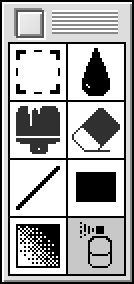
  • Paint, Erase, Line, Rectangle, Fill, Gradient, Spray and Select
  • Brush sizes and shapes, and dither patterns that thin out repeats or bands
  • A pixel-art gradient fill: dithered blends from one colour to another, or to nothing
  • Move, flip, copy and paste parts of a pattern: flip it to reverse the order of the repeats, slide it sideways to move it in pitch
  • One undo step per stroke; zoom from 25 % to 1600 %
The tools palette

Colours are echo behaviours

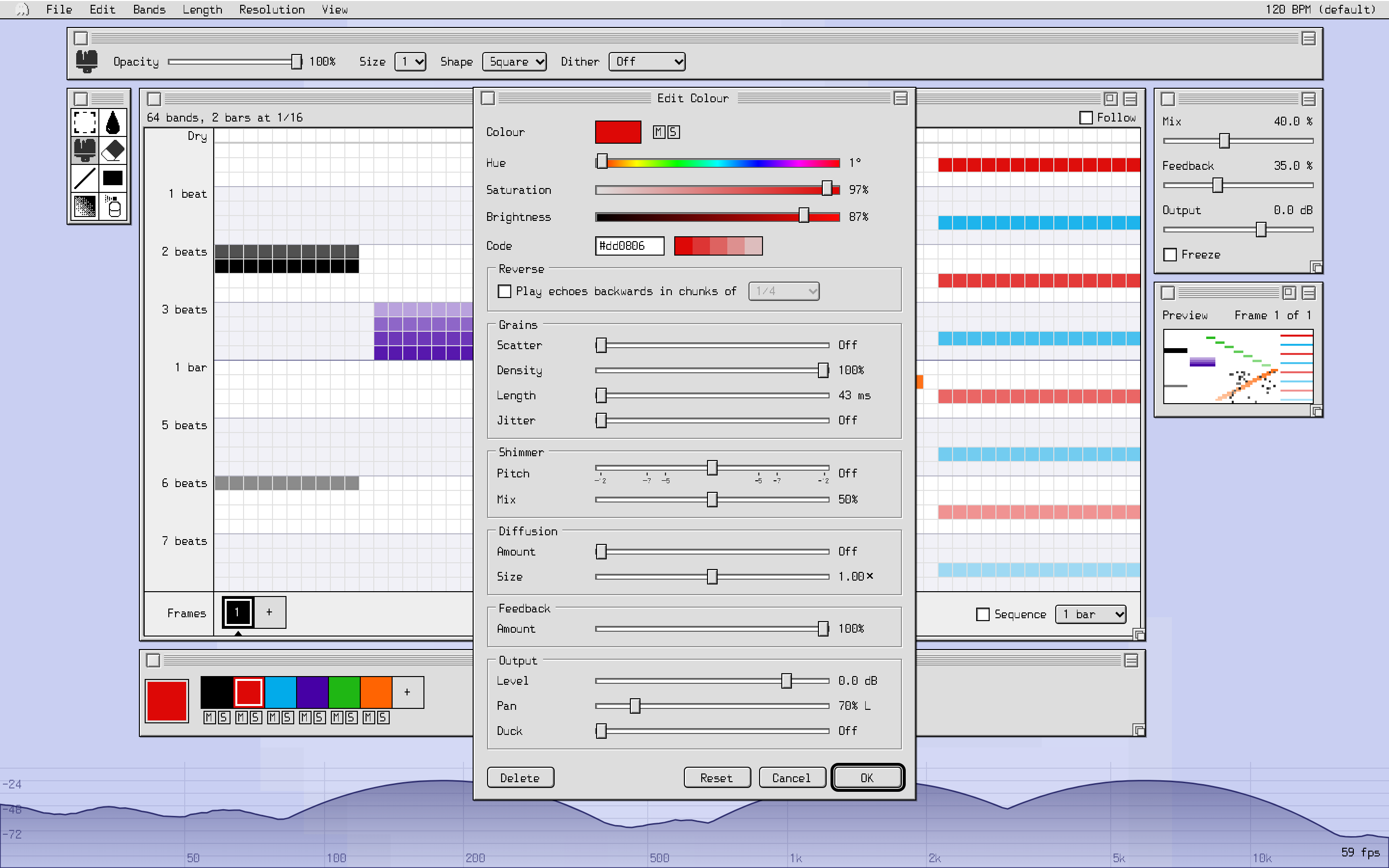
  • Up to 16 colours, each its own kind of echo. Paint with a colour and those cells do what it says
  • Pan, reverse, granular scatter, shimmer up to an octave either way, diffusion and ducking
  • Each colour has its own level and its own share of the feedback
  • Change a colour and every cell painted with it changes at once
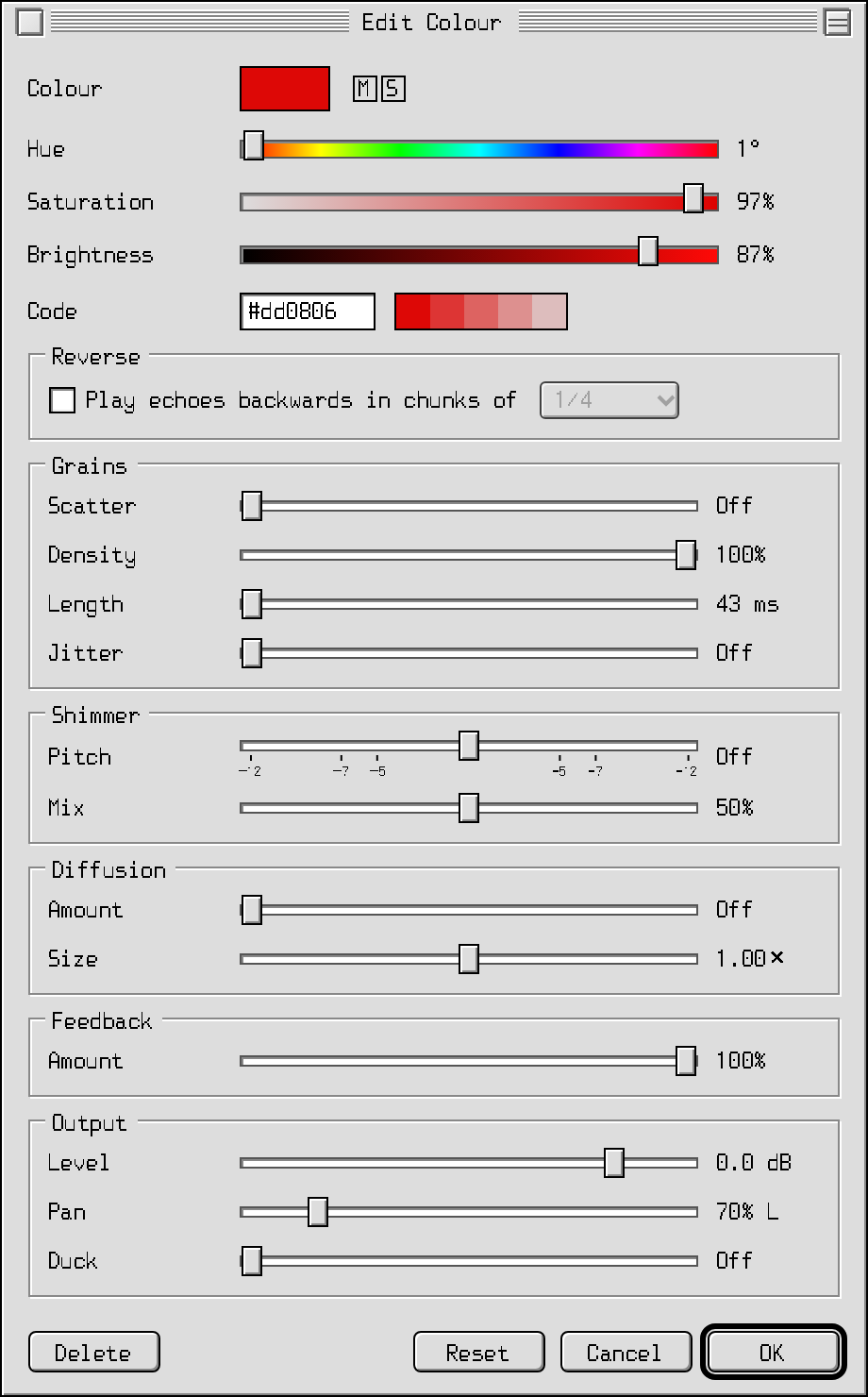
The colour editor, with Reverse, Grains, Shimmer, Diffusion, Feedback and Output settings

Frames and the frame sequencer

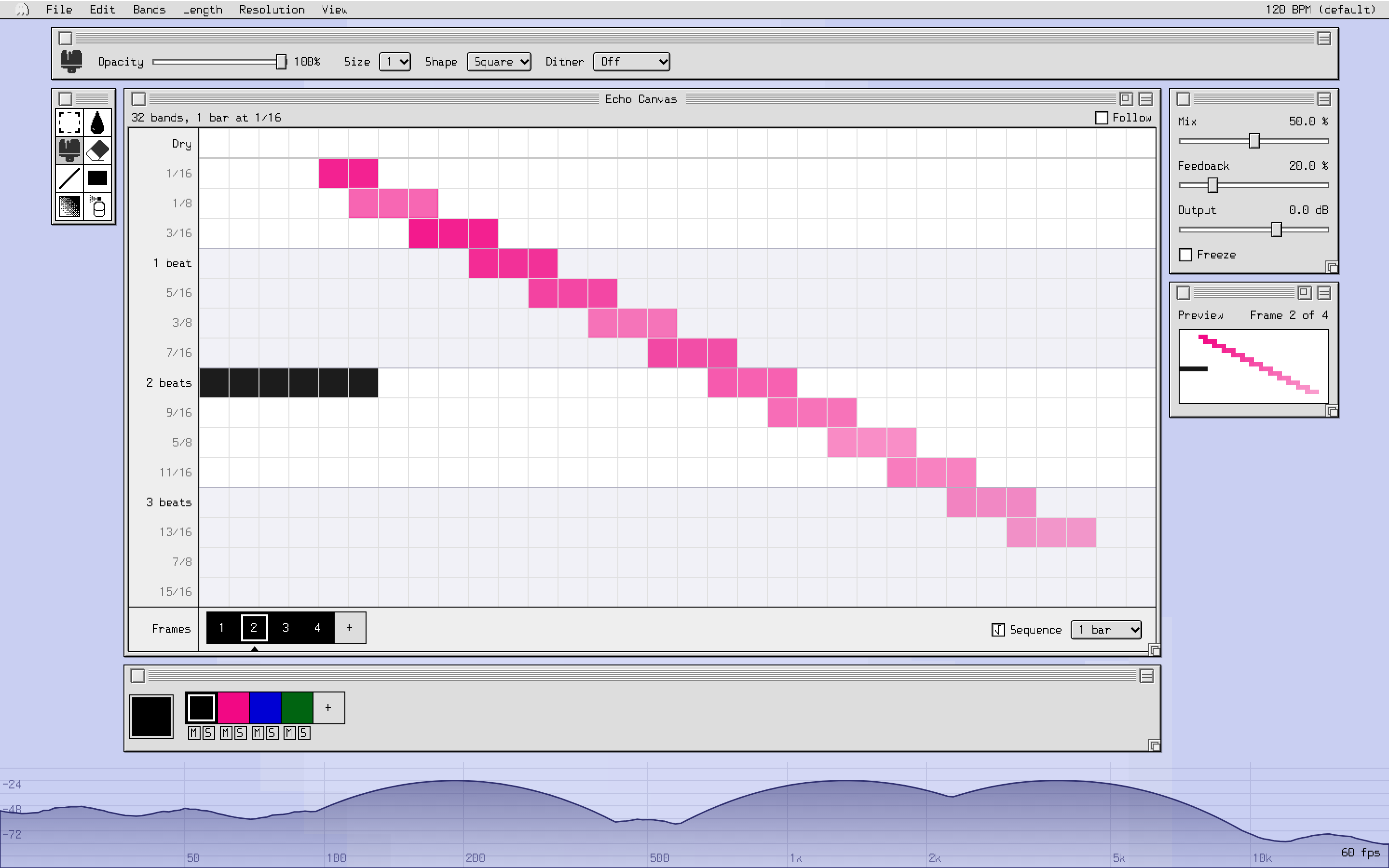
  • Up to 32 canvases (frames) in one instance
  • Switch by clicking, automate the Frame parameter from your DAW, or let the sequencer step through them in time with the song
  • Switches are timed to land on the beat, allowing for the plugin’s own latency
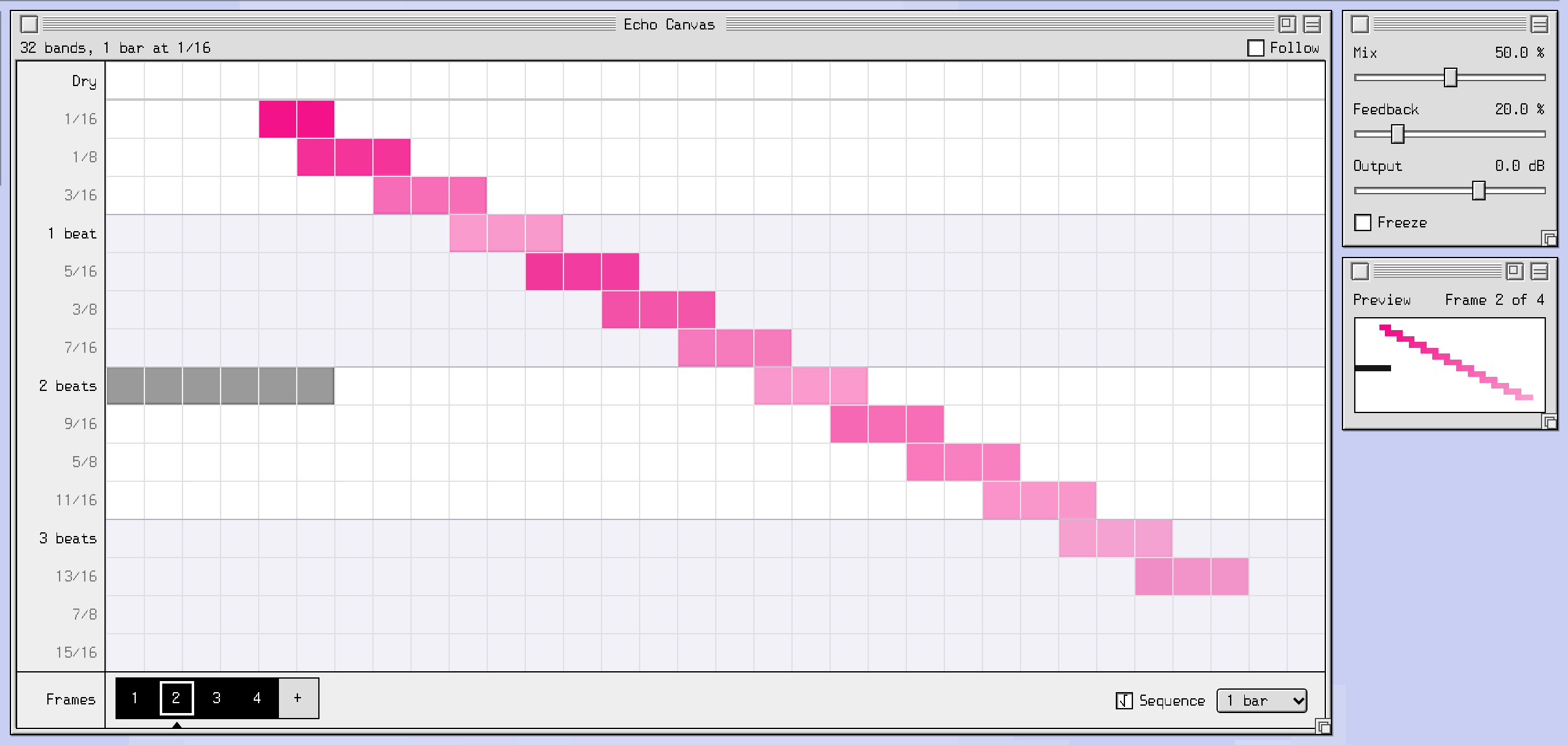
The Echo Canvas with four frames in its frame strip, and the preview window

Pictures in, GIFs out

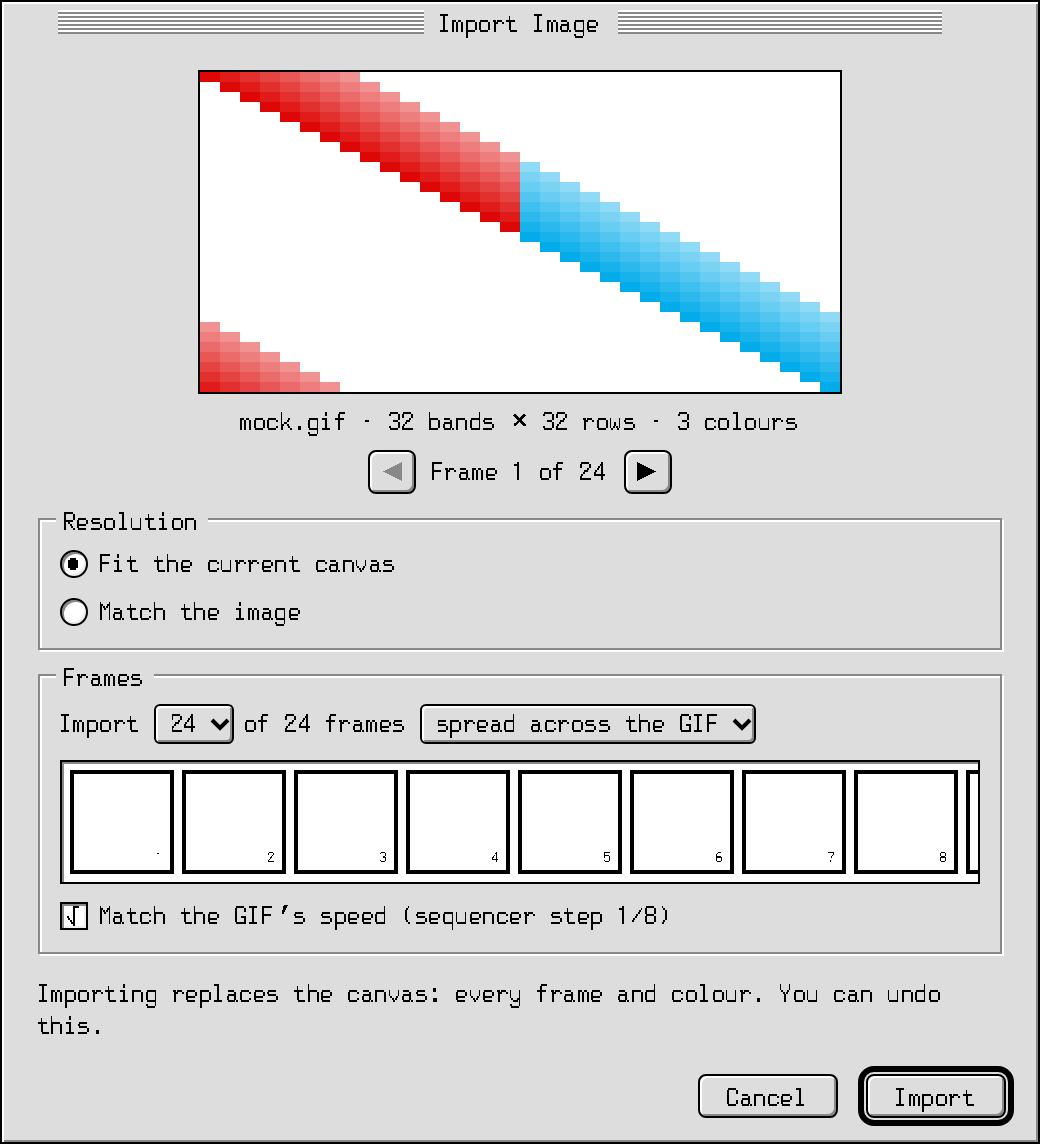
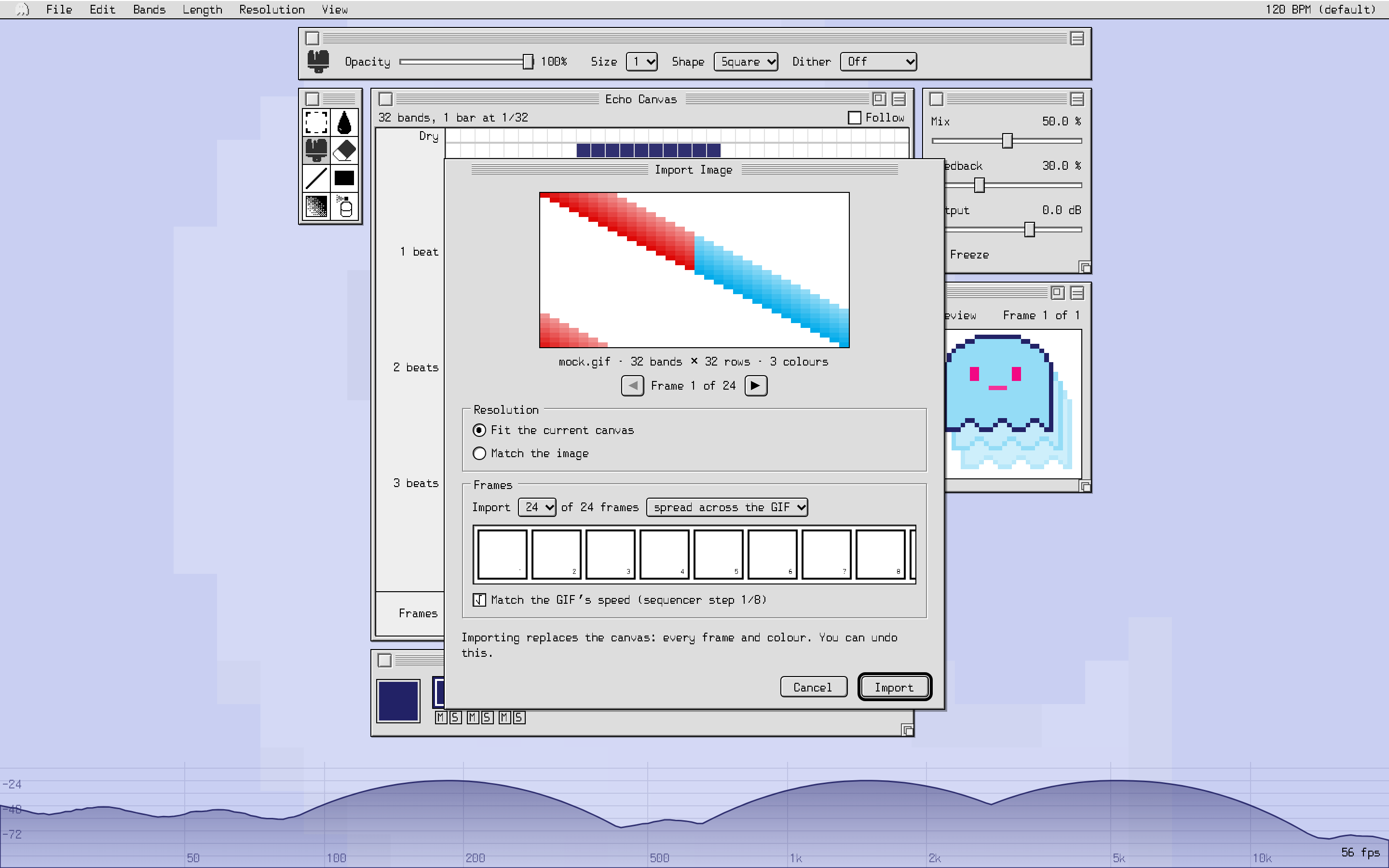
  • Import a PNG, JPG or GIF and it becomes a pattern: its colours become echo colours, an animated GIF becomes frames
  • Export the canvas as a GIF. It carries the whole canvas inside it, so it opens again exactly: share patterns as pictures
The Import Image dialog, previewing an animated GIF

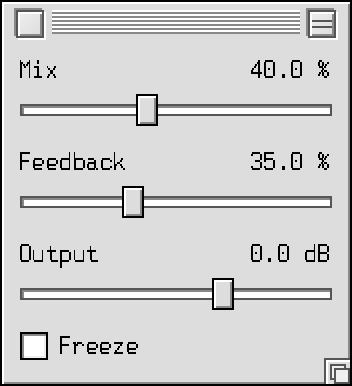
Mix, Feedback, Freeze

  • Feedback repeats the whole pattern, quieter each time
  • Freeze holds what’s playing and loops it for as long as you like
  • Mix, Feedback, Output, Freeze, Frame and the sequencer are all automatable
The mixer: Mix, Feedback and Output sliders and the Freeze checkbox

See every echo

Cells light up as their echoes play, as loud as they sound, over a live spectrum of your track.

Light on the CPU

About 1 % of one core for a 32 × 32 canvas in our tests, so you can use plenty of them.

Your desktop, your way

Move, resize and roll up every window. Each instance remembers its own layout.

Stays in time

Follows your host’s tempo, even as it changes. Without a host tempo (the standalone app) it runs at 120 BPM.

Sessions recall exactly

Every canvas, frame and colour is saved with your project, and the same everywhere you open it.

Free updates for life

Buy once and every update is free, for the life of the product.
Specifications

Formats
VST3, AU, CLAP, Standalone. AAX (Pro Tools) after launch.
macOS
macOS 11 Big Sur or later, Apple Silicon and Intel (Universal)
Windows
Windows 10 or later, 64-bit
Hosts
Any host that loads VST3, AU or CLAP plugins.
list of hosts tested before launch
Sample rates
44.1 to 192 kHz
Canvas
8–128 bands · 1 beat to 4 bars · steps from 1/4 to 1/128, triplets included · up to 16 colours · up to 32 frames
Latency
About 59 ms at 48 kHz, reported to the host, which compensates for it
CPU
About 1 % of one core per instance at 32 × 32 (busier canvases and colours use more)
Licence
Use it on up to 3 computers. Activate once online; offline activation is available
Updates
Free, for the life of the product

Pricing

$29

Coming November 2026.

Buy · Coming November 2026Download 14-day free trial

Prices in US dollars. Sales tax or VAT is added at checkout where it applies; our store partner Moonbase handles it.

  • Every format: VST3, AU, CLAP, Standalone (AAX (Pro Tools) later)
  • macOS and Windows, on up to 3 of your computers
  • Free updates for life
  • Try it first: the 14-day free trial is the full plugin. Because you can try everything first, sales are final (refund policy)
  • No subscription

Questions

What is a spectral delay?

A delay that splits the sound into frequency bands and echoes each band on its own. Echoplasm lets you decide, band by band and step by step, what echoes and when.

Does it work in my DAW?

If your DAW loads VST3, AU or CLAP plugins on macOS or Windows, yes. Pro Tools (AAX) support is planned after launch.

How does the trial work?

Download, install and activate the 14-day free trial from the plugin. Everything works for 14 days. When it ends, the plugin passes your audio through untouched until you buy a licence. Please use the trial to make sure Echoplasm works for you: we don’t offer refunds.

Do I need to be online?

Only once, to activate. After that it works offline. There’s also an offline activation for studio computers that are never online.

Can I move it to a new computer?

Yes. A licence covers 3 computers at once. Deactivate an old one from the plugin or your account.

More questions?

See Support.